Their childhood is buried in your camera roll. Lilium finds it and puts it in order.
Lilium recognizes your child on your phone, gathers their photos and short videos into moments, and leaves the screenshots, receipts and near-duplicates behind. Private to you and the other parent.
- Coming soon to theApp Store
- Coming soon toGoogle Play
- Free to start
- No ads, ever
- Only you and the other parent





You don’t sort a thing. You just check it.

Lilium scans your camera roll
It recognizes your child on your phone and gathers their photos and short videos into moments, by time and place. Screenshots, bursts and near-duplicates are skipped. Only the moments you save are uploaded.
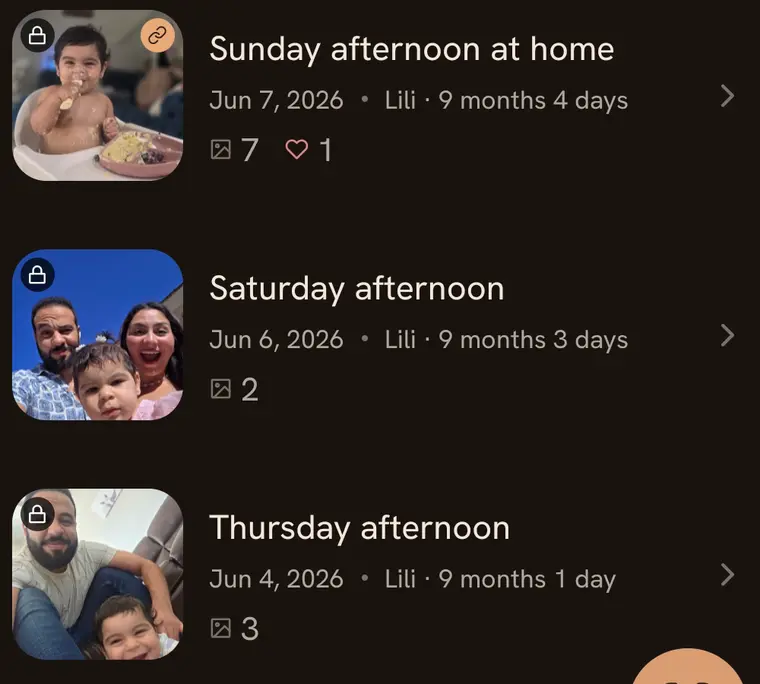
You review the moments
Each one arrives as a ready-made memory. Edit it, add a few words and save it, or leave it out.

You relive it, and share it
Scroll your child's life month by month. Old moments come back on their own. When one is worth sending, send a link.
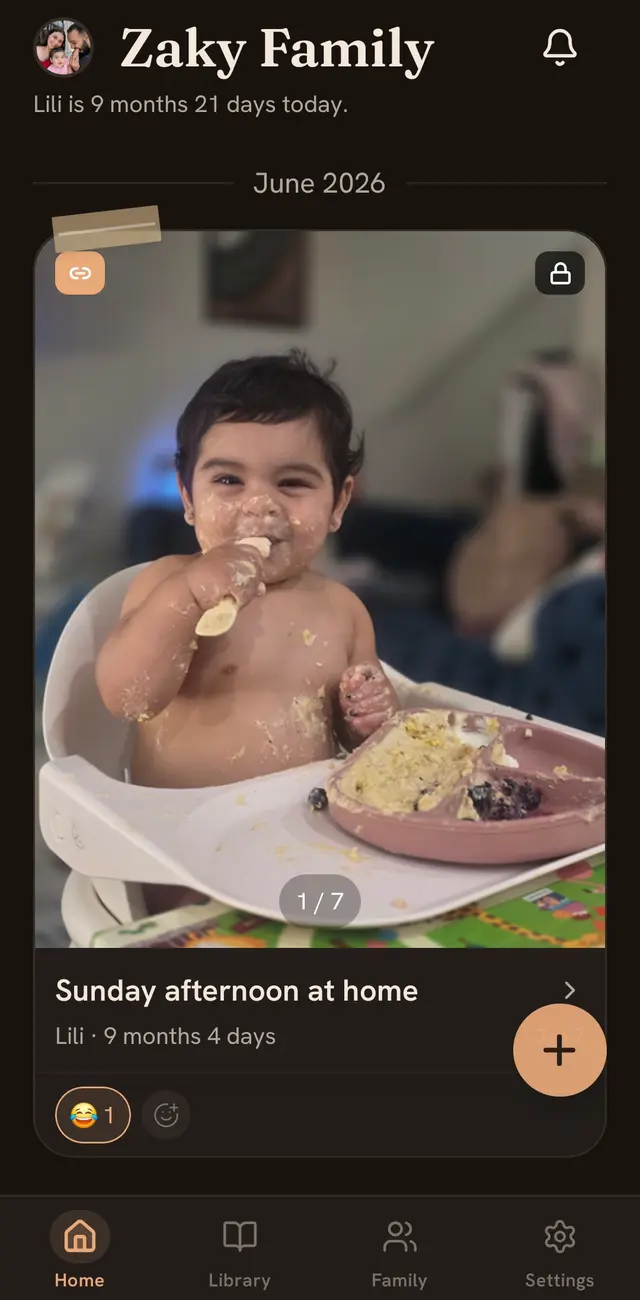

Every memory knows how old they were.
Lilium puts your child’s age on every photo and video. You won’t remember “June 7.” You’ll remember Lili at 9 months.
Each child gets a timeline by month of life. Birthdays are celebrated, and you can start a profile for a baby who’s on the way.
 6 days old
 8 months
 9 months
A little film of their week, every week.
Lilium cuts each child’s week into a short film, set to music. There’s a monthly one too. Not quite right? Make a new version.
And on quiet days, Memory Lane and On This Day bring an old moment back.





Send grandma one link. No app, no password.
She taps it and the memory opens in her browser, on any phone, tablet or computer. You’ll see “Opened 3 times,” so you know she saw it. Stop the link whenever you like.
Share a single memory, or a whole album.

Your family’s photos stay your family’s.
Lilium is a home for your child’s memories, not a feed. Save any photo or video back to your phone, with its original date.
Read the privacy policyNo ads, ever.
Not on the free plan, not on Premium.
Never sold, never used for ads or AI.
We don't sell your data or use it for advertising, and your uploads never train AI models.
Face recognition runs on your phone.
Your camera roll isn't uploaded to find your child. Only the moments you choose to save are.
Just you and the other parent.
Your family is the two of you. There's no public feed to find it on.
Stop any link, any time.
A link works until you turn it off. After that, it never works again.
Nothing is deleted if you stop paying.
Your memories stay where they are.
Free to start. Every feature from day one.
Start free and add Premium when your family needs more room. If you ever stop paying, nothing is deleted.
Free
Everything you need to start.
- Every feature
- 5 GB for photos and videos
- Videos up to 1 minute
- No ads
Premium
For families who fill it up.
- Everything in Free
- 250 GB, shared by the whole family
- Videos up to 10 minutes
- No ads
Questions parents ask
Something else on your mind? Write to support@liliumapp.com.
Is Lilium really private?
Yes. Your family is you and the other parent, with no public feed and no ads. We don't sell your data or use it for advertising, and your uploads are never used to train AI models. A link you share can be opened by anyone who has it, so send it to people you trust. Stop a link and it stops working, though a photo someone already saved stays with them.
Does it work on iPhone and Android?
Yes. Lilium runs on iPhone with iOS 17 or later, and on Android. The other parent can join from either kind of phone.
How do I add the other parent?
Invite them by email from the app. Once they join, you both add and see everything, and you can both react and comment.
Do grandparents need the app?
No. Send them a link and it opens in any browser, with no app, no account and no password. You can share one memory or a whole album, see how many times a link has been opened, and stop it at any time.
What happens if I stop paying?
Nothing is deleted. Everything you saved stays in Lilium. New uploads follow the free plan: 5 GB of space and videos up to 1 minute.
What does the face recognition do?
It's optional, and it runs on your phone. You pick a few photos of your child, and Lilium learns to spot them in the photos and short videos in your camera roll. That's how it finds their moments for you. Your camera roll isn't uploaded for this, and the numeric face signatures stay on your phone. You check the matches before anything is saved. In settings you can stop it looking for new memories, and remove the photos it learned from. Like any face matching, it can miss a photo or confuse two people. What is stored with a saved photo, and the optional backup of reference photos, are explained in our privacy policy.
Should I delete the originals from my phone?
Lilium is made for keeping and reliving your memories, not as your only backup. Photos may be resized and compressed, and videos are processed for playback, so keep your own copies of anything you could not replace. You can save any photo or video back to your phone with its original date.
They’re only this little once.
Start with the photos you already have. Lilium does the sorting.
- Coming soon to theApp Store
- Coming soon toGoogle Play
Free to start. For iPhone (iOS 17 or later) and Android.